FXO - GTA V Asset Tools
A downloadable tool for Windows
FXO FOR WINDOWS
Understand your GTA V assets.
Models, textures and maps. One desktop workspace to inspect your mod assets before you test them in game.
v1.14.7 · Windows 10 / 11, 64-bit · Free plan available
Unsigned installer. Recorded antivirus detections are listed under Download verification below.
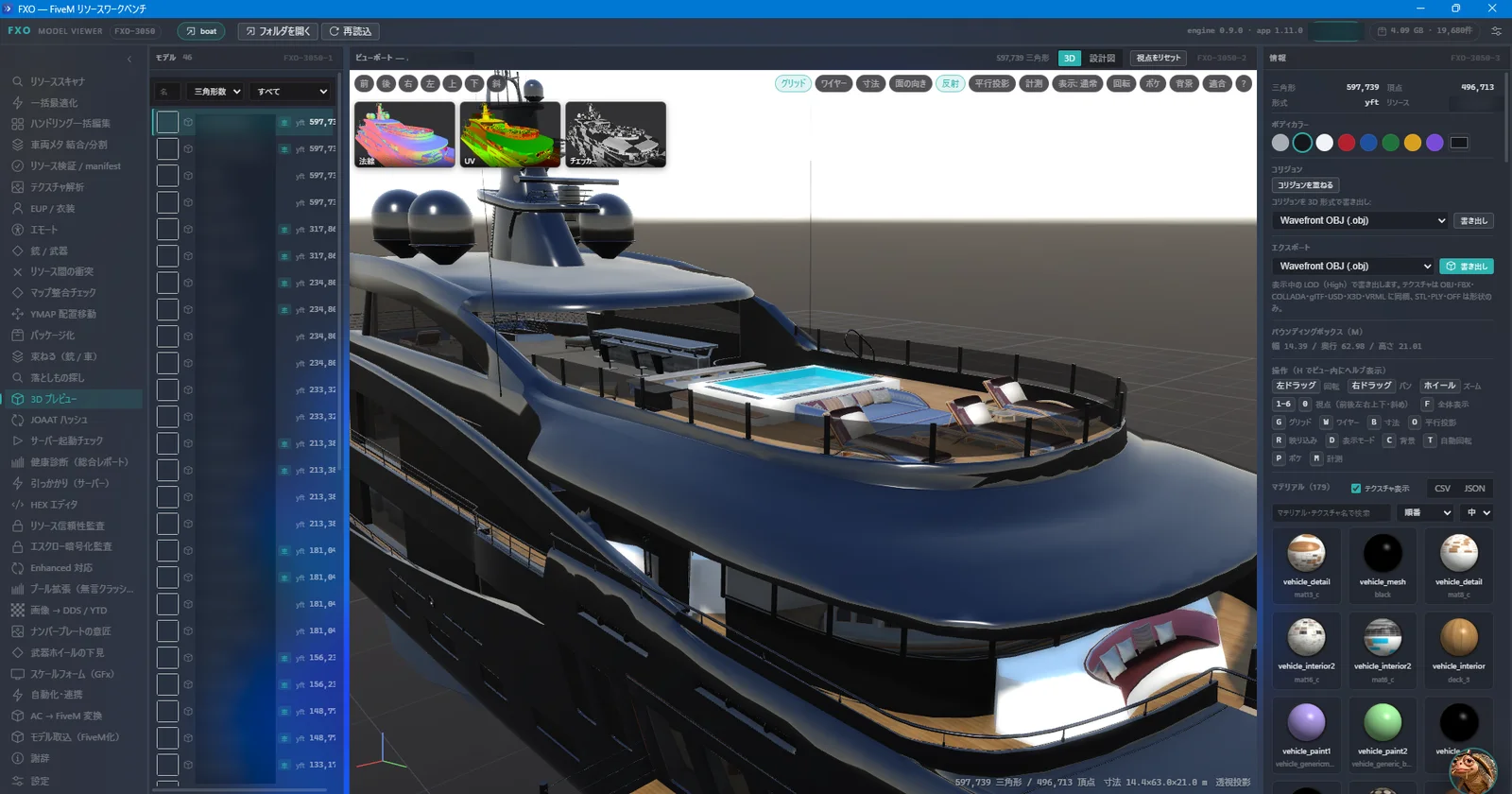
01 / MODELS
See the details. Before the game.
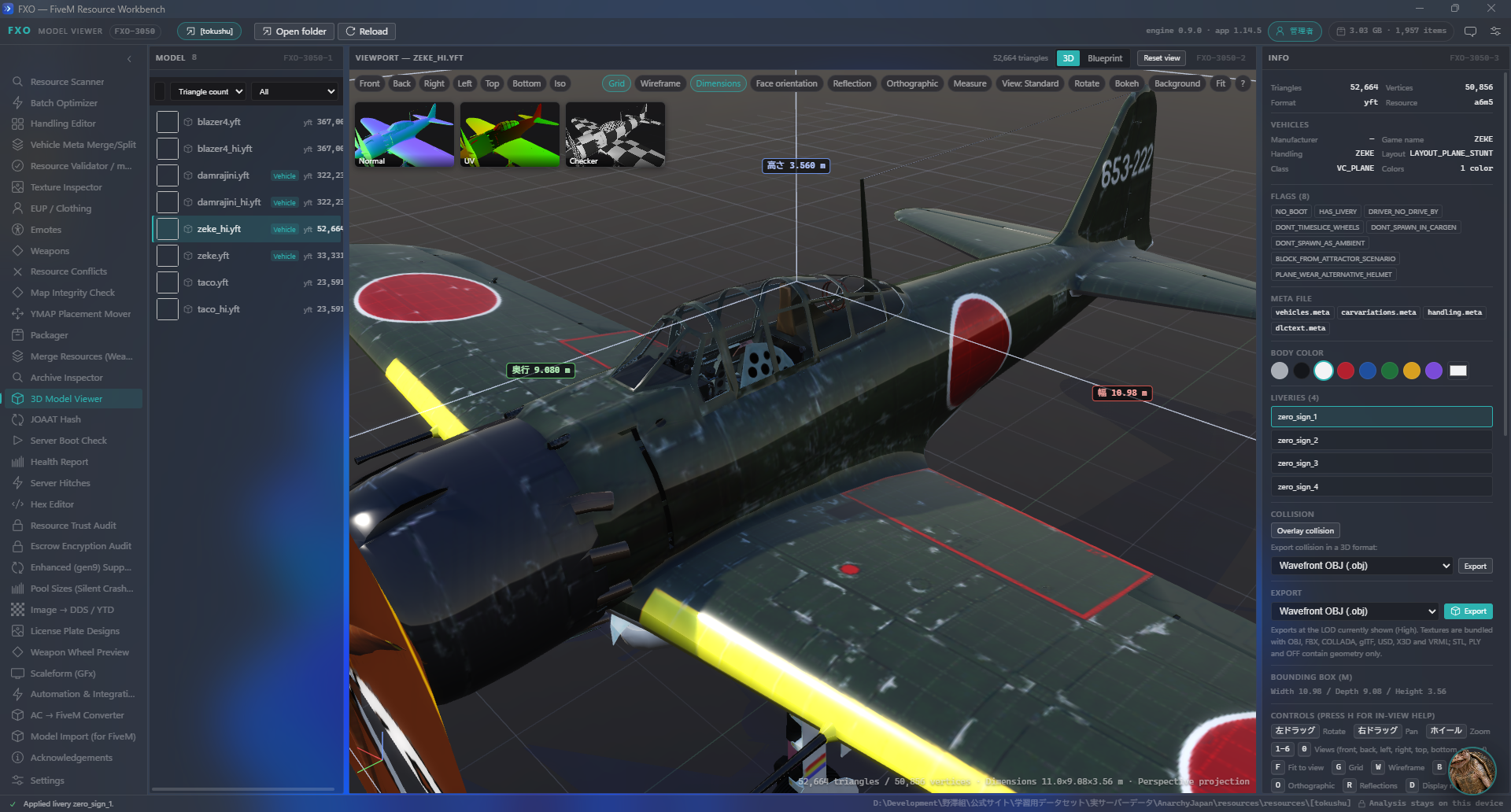
Preview supported YDR, YFT and YDD models. Inspect LODs and examine collision data in the same workspace.
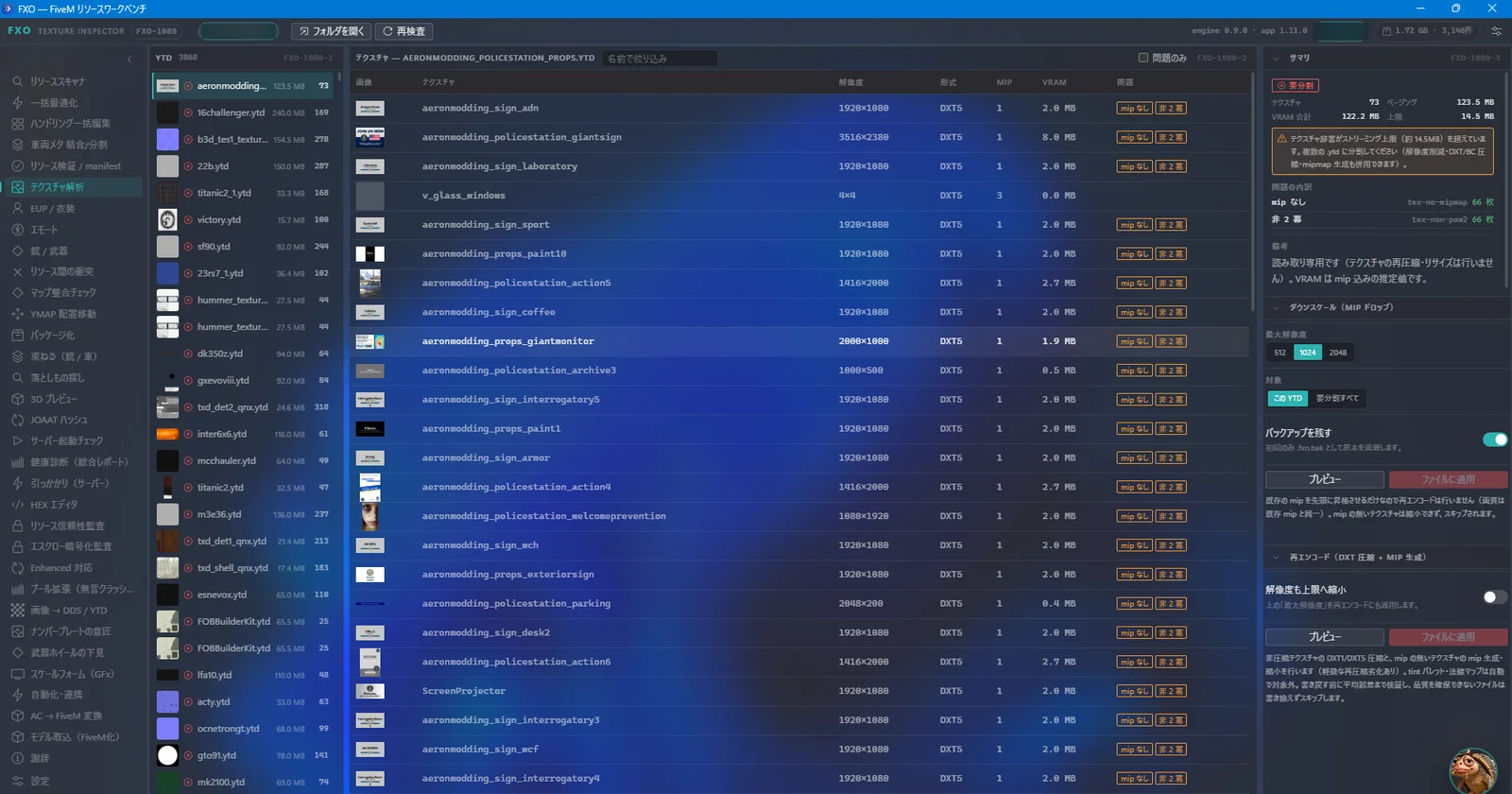
02 / TEXTURES
Find what makes an asset heavy.
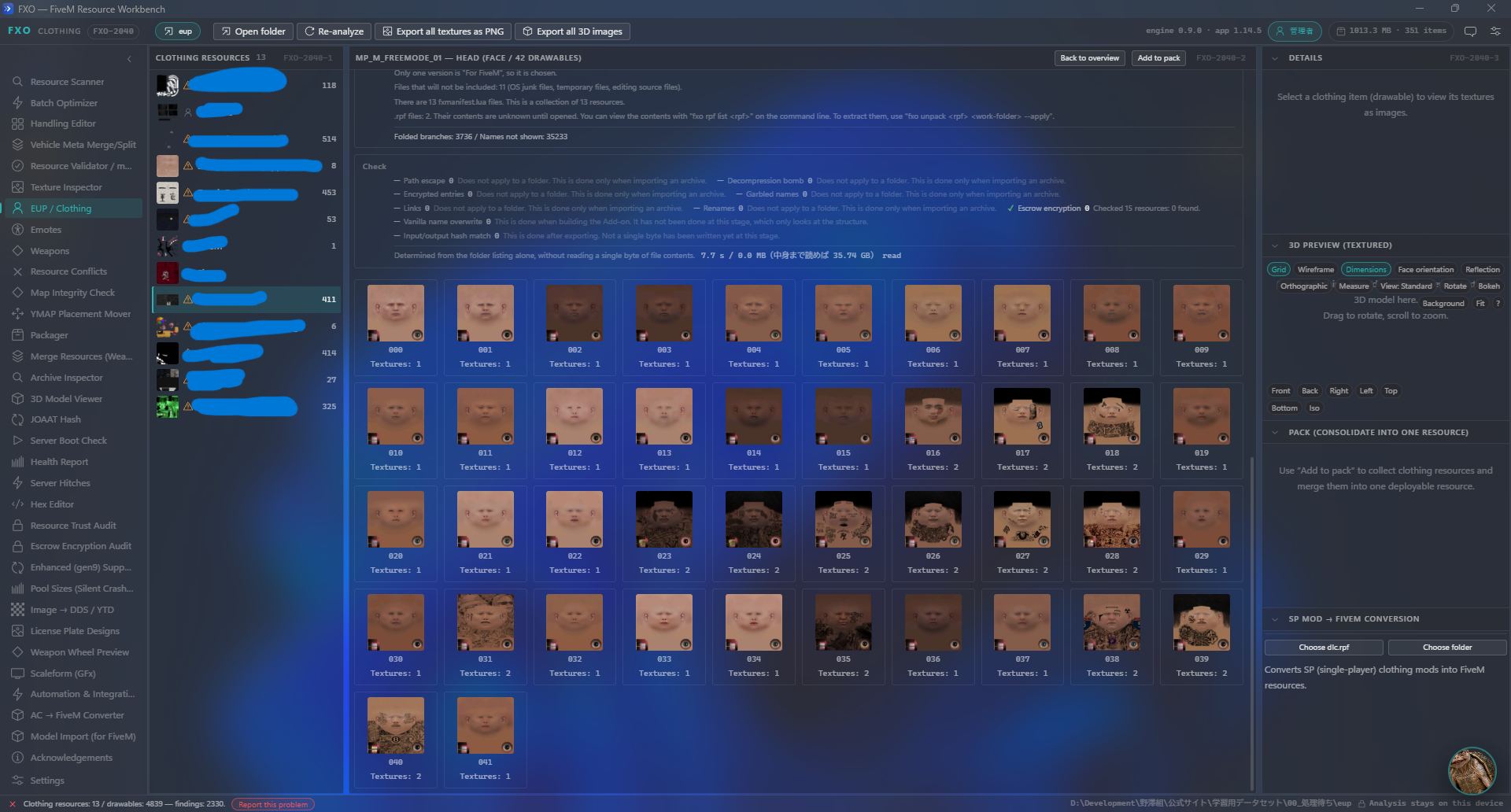
Check texture dimensions and mipmaps, identify oversized textures and use image conversion tools when preparing your assets.
03 / MAPS
Trace the missing connection.
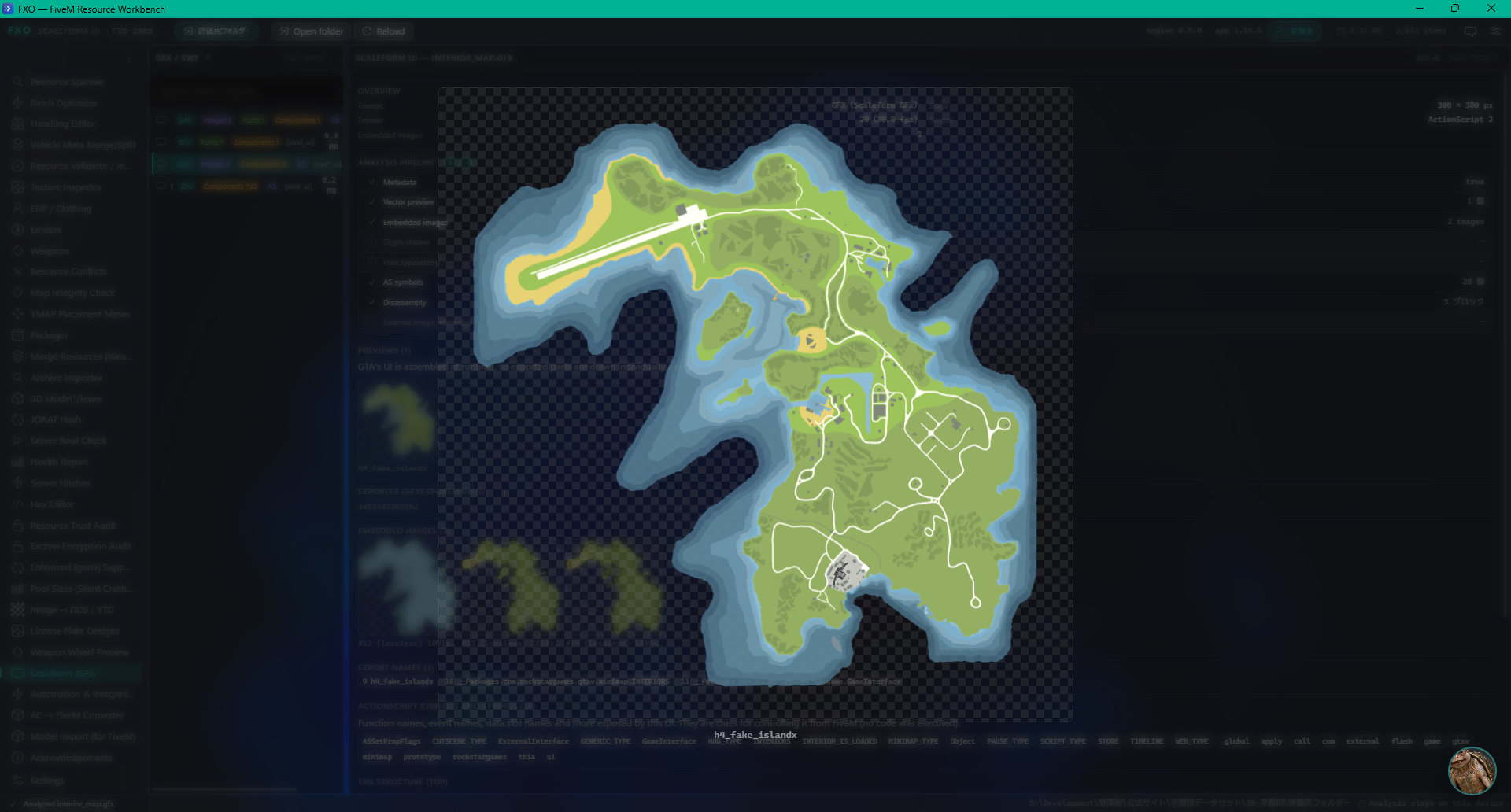
Investigate YMAP/YTYP references and missing definitions that can cause objects to be absent in game.
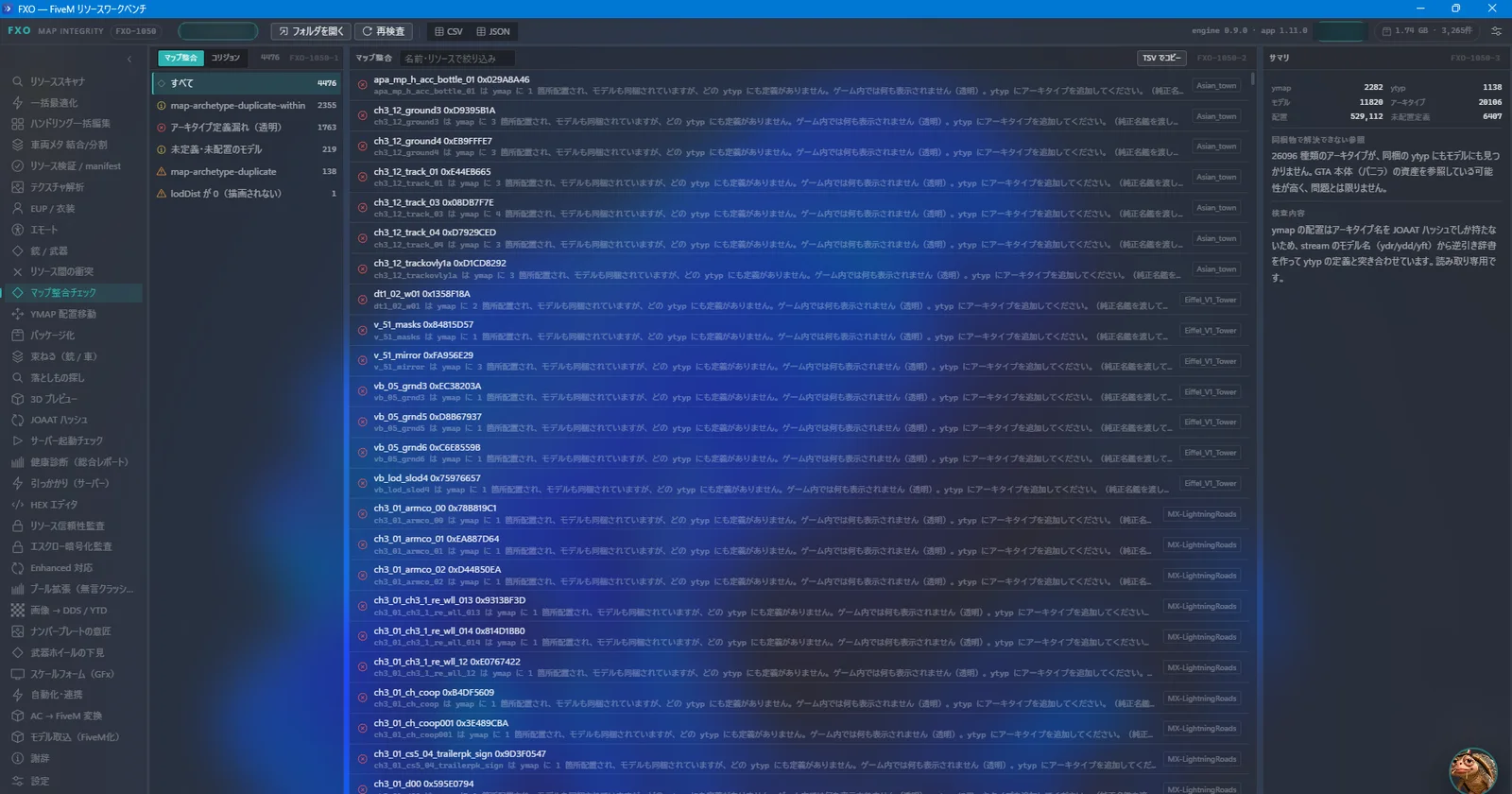
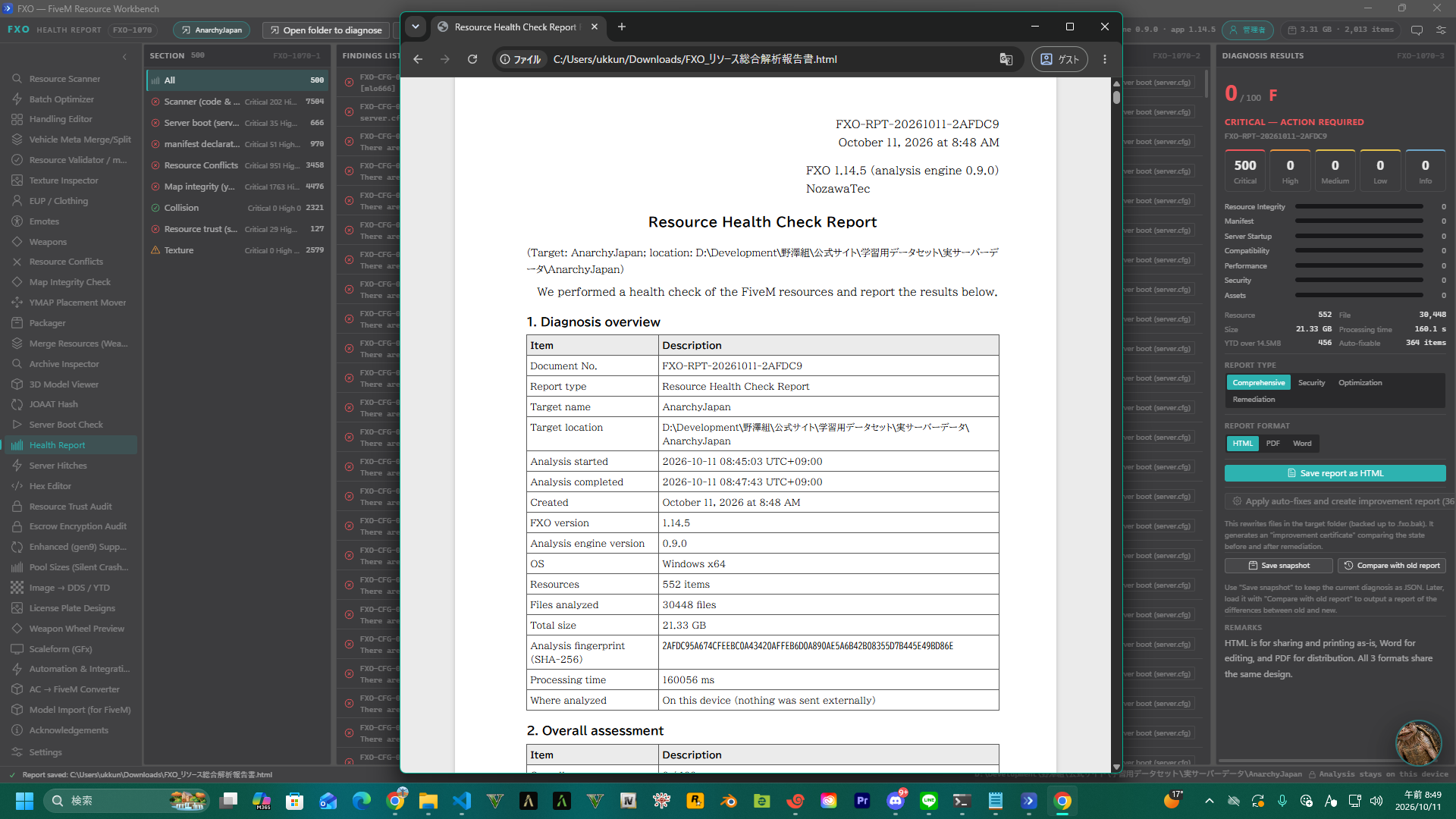
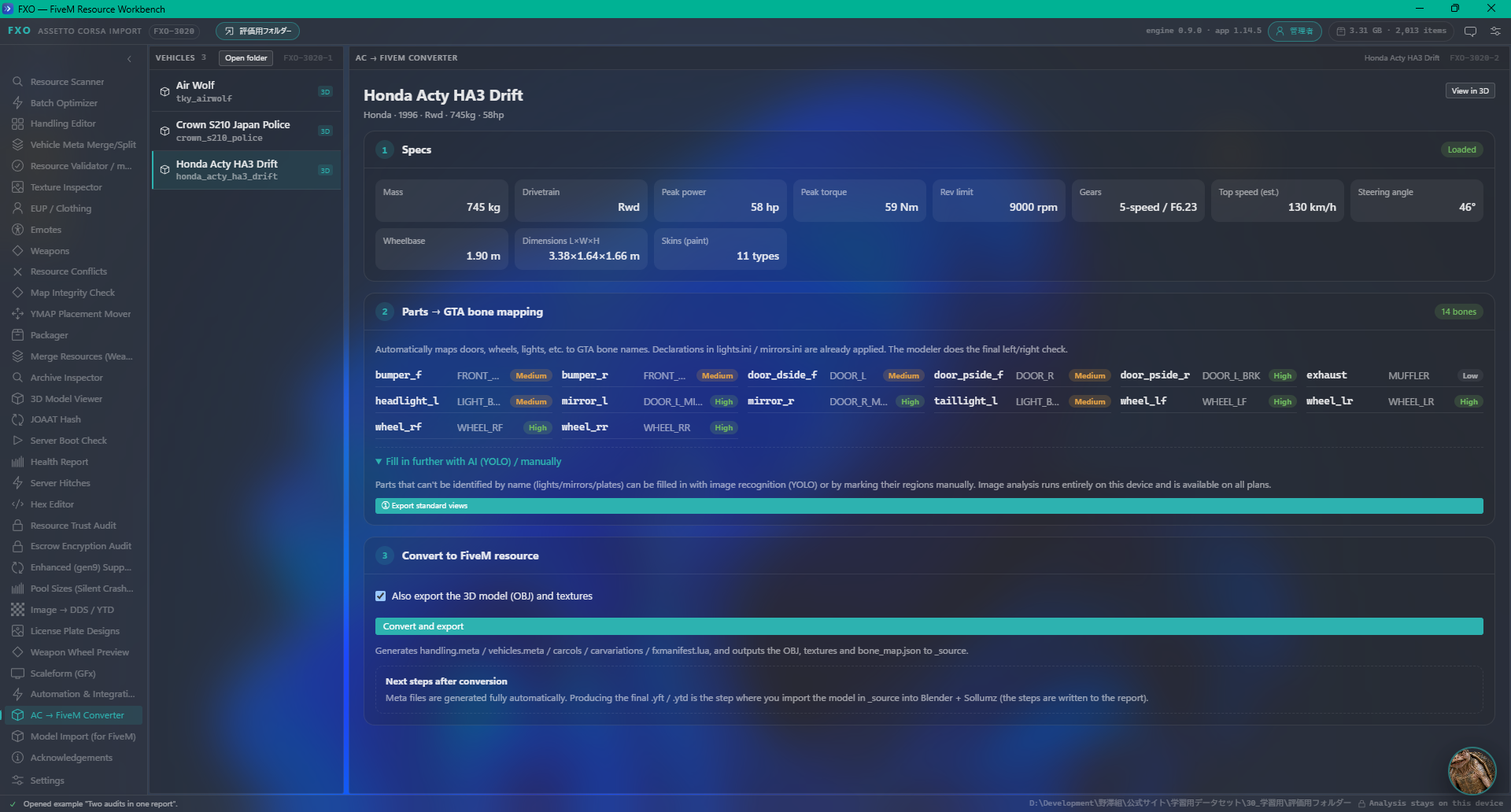
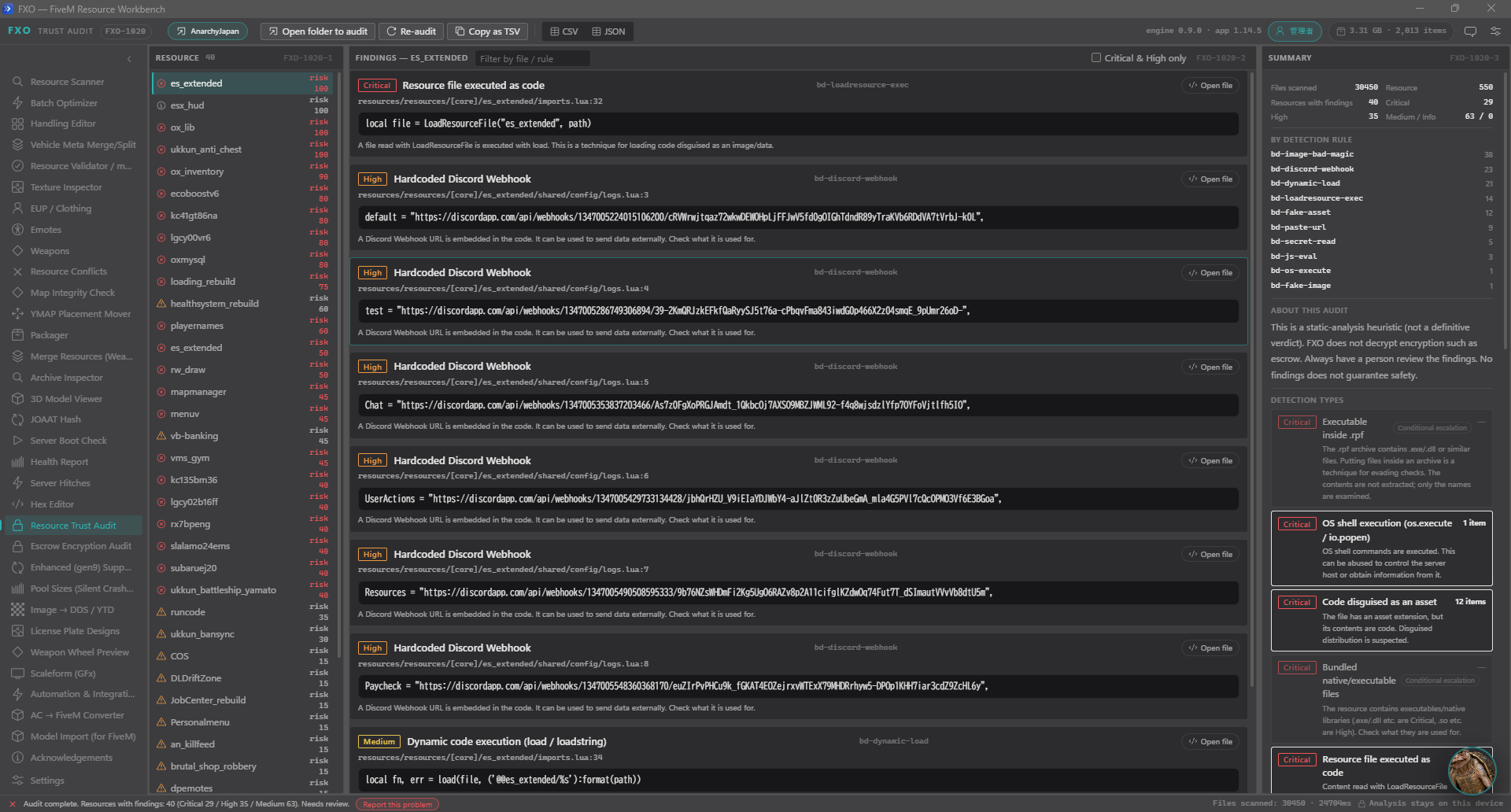
Actual FXO screenshots from an earlier interface version. They do not show every change in v1.14.7.
Refined previews. Clearer status.
Version 1.14.7 fixes the language selector layout and EUP clothing previews. Models appear before textures finish loading, and delayed textures preserve the camera and active emote. Status messages, progress, license notices, Handling controls and model selection follow the selected language. User names and file paths are preserved.
Your workspace. In your language.
The application, CLI and NozawaTec installer now support 14 languages: Japanese, English, Simplified Chinese, Traditional Chinese, Korean, Spanish, French, German, Portuguese, Italian, Russian, Polish, Turkish and Indonesian. Traditional Chinese, Italian, Russian, Polish, Turkish and Indonesian were added in v1.14.6. The installer and application start in the Windows display language, with manual selection available. Startup errors, 3D information, reports, drawings and installation messages have improved localization. Existing CLI commands and JSON output remain supported. The standalone MSI installation interface remains Japanese.
The modern terminal interface opens when you run fxo without arguments. Press F2 to switch between menu and console views, with command search, completion and file selection.
A workspace beyond the preview.
Explore supported ZIP, RAR, RPF and OIV content, inspect vehicle-related metadata and calculate JOAAT hashes for GTA V file references.
FXO runs outside the game. No FiveM server is required for these asset inspection tools. The standard application also includes FiveM resource tools.
START WITH THE FREE PLAN
Explore first. Go further when you need to.
The free plan requires no account and has no trial expiry. Read-only inspection has no time limit. Batch processing is limited to 25 items.
Some export, packaging and automation operations require an optional Pro or Beast subscription, sold separately on the official website. This download does not include a paid license. Paid access requires an account and periodic online license verification.
Ready for your next project.
- Extract the ZIP to a normal folder outside your GTA V installation.
- Run FXO-Install.exe and follow the setup prompts.
- If an older installation is detected, use the offered uninstall workflow. You can continue in the same setup window after removing it.
- Launch FXO and open a copy of the mod assets you want to inspect.
Requires Windows 10 or 11, 64-bit, and Microsoft Edge WebView2 Runtime.
Compatibility and limits
Supported formats and features vary by file and game edition. Enhanced/Gen9 conversion is experimental and can produce unusable output. It is not a guaranteed Legacy-to-Enhanced converter. Not every model, material, interior or collision variant is supported. Some assets need further work in a dedicated editor.
Keep backups, work on copies and test generated assets in game before distributing them. Reports help you investigate a problem. They do not guarantee compatibility or a particular FPS improvement.
Use assets you own or have permission to modify. FXO does not decrypt FiveM escrow content. It is not a GTA Online tool or an in-game trainer. No GTA V game asset archives are included.
Download verification
The v1.14.7 installer is not Authenticode-signed. Recorded VirusTotal analyses from 11 October 2026 report 6/75 detections for FXO-Install.exe, 1/75 for the installed application executable and 3/75 for the bundled Rust DLL. Microsoft results: installer undetected, application undetected, DLL undetected. The totals include timeouts, failures and unsupported engines. The cause of these detections has not been established. These dated results are not a safety guarantee. Do not disable antivirus protection to install the application.
Installer analysis → Application analysis →
Installer SHA-256:
f7d8d1049582f119b621e4a054abfa6c2e25c3e05f0ab9f876dd259dec0968b6
Made by NozawaTec.
Version 1.14.7 improves language selection, EUP previews and translated status messages. This is the same installer distributed through the official website.
FXO is proprietary software. Third-party notices and licenses are included with the installed application. Not affiliated with Rockstar Games or Take-Two Interactive.
Download
Install instructions
Windows 10/11 (64-bit).
1. Extract the ZIP outside your GTA V installation folder.
2. Run FXO-Install.exe and follow the setup instructions. The desktop interface requires Microsoft Edge WebView2 Runtime.
3. If an older installation is detected, open the uninstall screen from setup, remove the old version, then continue in the same setup window.
4. Launch FXO and open copies of your mod assets. Free use does not require an account. Sign in only when using account-based paid features.
See the included README.txt for limitations, download verification and license information.
Leave a comment
Log in with itch.io to leave a comment.